7 Best Booking Software Platforms for Small Service Businesses (2026)
If you run a cleaning company, landscaping crew, handyman service, or any other small service business, you already know the pain of managing bookings. Sticky notes, text messages, phone tag, and spreadsheets might have worked when you had five clients. But as your business grows, missed appointments and double-bookings start costing real money.
The right booking software doesn't just organize your calendar — it automates client communication, reduces no-shows, and frees up hours every week that you can spend actually running your business. The wrong one? It drains your budget and adds more complexity than it removes.
We spent weeks testing seven of the most popular platforms on the market in 2026. We evaluated each one on ease of setup, day-to-day usability, pricing transparency, mobile experience, customer support, and the specific features that matter most to small service teams. Here's what we found.
What to Look for in Booking Software
Before we dive into individual platforms, it's worth knowing what separates a good booking tool from a great one. Not every business needs every feature, but these five criteria should be on your shortlist:
- Ease of use: You shouldn't need a training manual. If your staff can't figure it out in 15 minutes, adoption will be painfully slow. Look for a clean interface with logical navigation.
- Fair pricing: Monthly costs add up fast, especially if you're charged per user. Watch out for hidden fees, forced annual contracts, and "call for pricing" pages that usually mean expensive.
- Core features: At minimum, you need online booking, calendar management, client records, and automated reminders. Invoicing, payments, and staff management are strong bonuses.
- Mobile experience: Your crew is in the field, not sitting at a desk. The platform needs a solid mobile app or a responsive web experience that works on any phone.
- Customer support: When something breaks at 7 a.m. on a Monday and you have 12 jobs scheduled, you need fast, helpful support — not a chatbot loop.
1. Crewty — Best All-in-One Platform for Growing Service Businesses
Crewty
crewty.com
Pricing: $29/mo (Starter) • $59/mo (Pro) • $99/mo (Premium) — Free trial, no credit card required
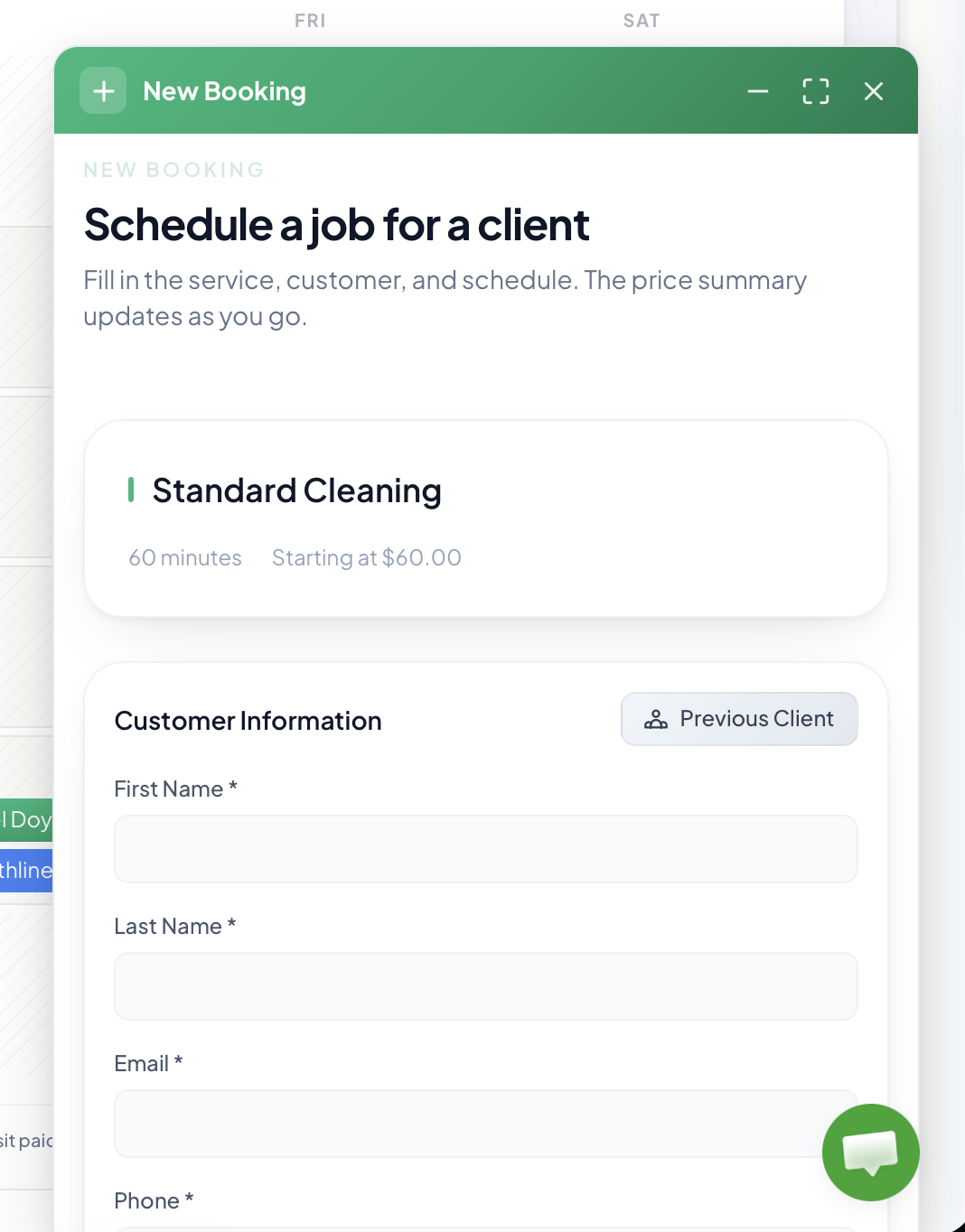
Crewty is a newer entrant that was built from the ground up specifically for small service businesses. Rather than bolting on features over a decade like some competitors, Crewty launched with a modern, unified platform that handles booking, scheduling, client management, invoicing, payments, team chat, AI-powered insights, and a native mobile app — all in one place.
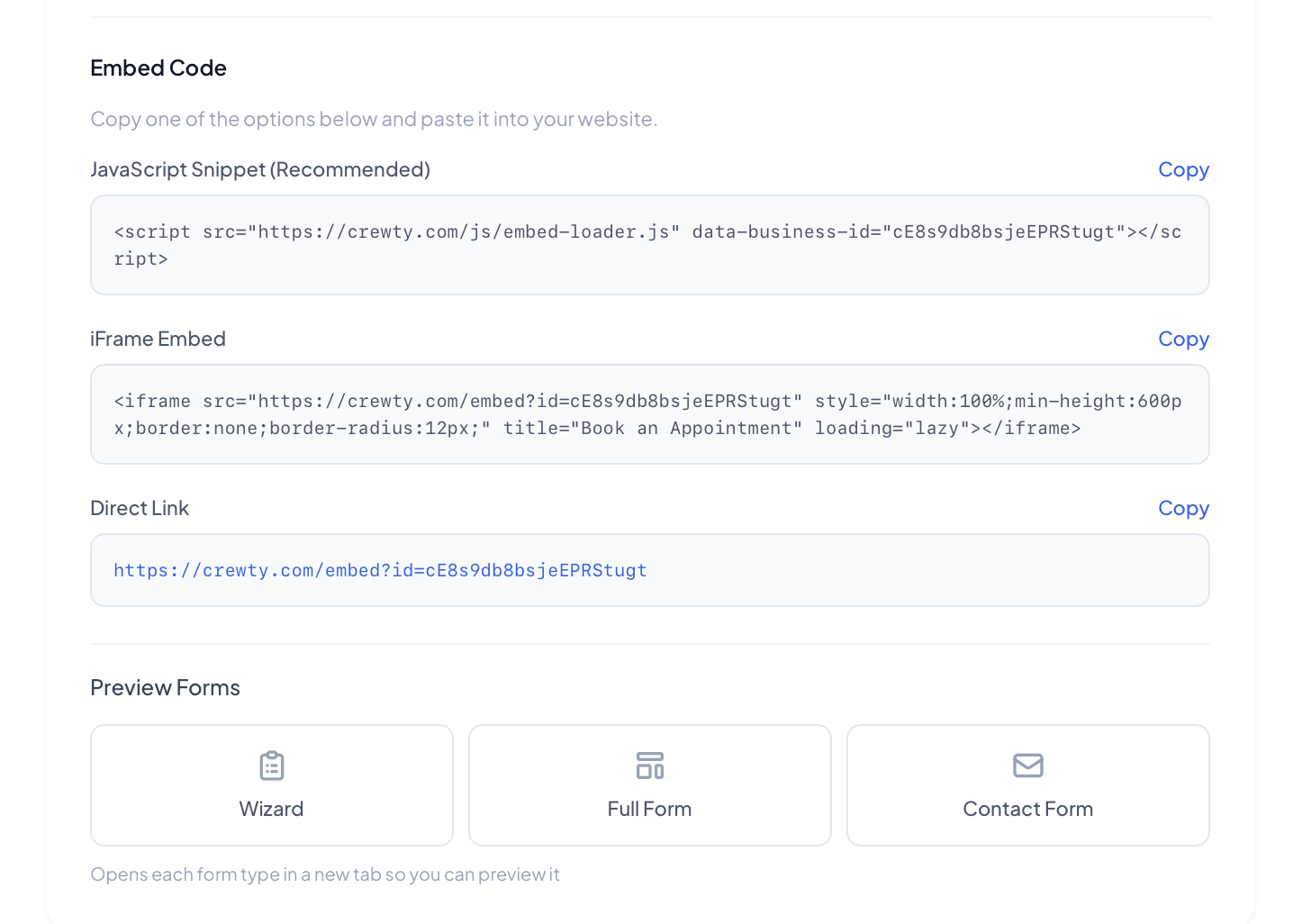
The onboarding experience is noticeably smoother than most alternatives. You can have your booking form live on your website within minutes using their embeddable widget or a direct link you can share on social media. The calendar view is clean and intuitive, with drag-and-drop rescheduling and color-coded staff assignments that make it easy to see who's where.
What sets Crewty apart is how much you get at the Starter tier. For $29/month, you get online booking, scheduling, client management, invoicing, payment collection through Stripe, and the mobile app. Many competitors charge $49+ just for basic scheduling without invoicing or payments. The Pro plan at $59/month adds team chat, staff management, analytics, and AI recommendations — features that would cost $100+ elsewhere.
On the downside, Crewty is still building out some advanced features like GPS tracking and route optimization that established players like Jobber already offer. And because it's a newer platform, you won't find as many third-party integrations yet, though the core Stripe and Google Calendar integrations cover the essentials.
Pros
- • Extremely affordable for what you get
- • Modern, clean interface — easy to learn
- • All-in-one: booking, invoicing, payments, chat
- • Native mobile app for staff
- • Built-in AI business insights
- • Free trial with no credit card
Cons
- • Newer platform, still adding features
- • Fewer third-party integrations
- • No GPS tracking yet
Best for: Small to mid-size service businesses (1–25 employees) that want one affordable platform for everything.
2. Jobber — Best for Established Field Service Companies
Jobber
getjobber.com
Pricing: $49/mo (Core) • $129/mo (Connect) • $249/mo (Grow)
Jobber has been around since 2011 and has become one of the most recognized names in field service management. It's a robust, full-featured platform that covers quoting, scheduling, invoicing, GPS tracking, route optimization, and customer communication. If you're running a landscaping crew, HVAC company, or plumbing business with 10+ employees, Jobber has the depth to handle your operation.
The quoting workflow is especially strong. You can create detailed quotes with line items, send them to clients for digital approval, and convert accepted quotes directly into jobs — no re-entering information. The client hub gives customers a self-serve portal to approve quotes, pay invoices, and request new work, which reduces the back-and-forth significantly.
The main downside is pricing. The $49/month Core plan is limited to a single user, which means it's really only useful for solo operators. The moment you need to add a second team member, you're looking at $129/month for Connect. For a team of five, you're likely at the $249/month Grow tier. That's a significant investment for a small business, especially when many of the features in the higher tiers are standard on cheaper platforms.
Pros
- • Mature, feature-rich platform
- • Strong quoting and CRM workflow
- • GPS tracking and route optimization
- • Client self-serve hub
- • Excellent mobile app
Cons
- • Expensive — $129+ for multi-user
- • Core plan limited to 1 user
- • Interface can feel cluttered
- • Steep learning curve for new users
Best for: Established field service companies with 10+ employees and the budget to match.
3. Housecall Pro — Best for Home Service Pros Who Want Marketing Tools
Housecall Pro
housecallpro.com
Pricing: ~$169/mo minimum (Basic, 2 users) • ~$299/mo (Essentials) • Custom pricing (MAX)
Housecall Pro is another well-established player in the home service space. It offers a solid core of scheduling, dispatching, invoicing, and payment processing, but where it really shines is in its marketing and customer engagement features. The platform includes built-in email marketing, automated review requests, a postcard mailing service, and a customer-facing booking page.
For businesses that struggle with the marketing side, this is a genuine advantage. You can set up automated follow-up emails after each job, send seasonal promotions to your client list, and automatically ask happy customers to leave Google reviews — all without leaving the platform. The review management feature alone can be worth the investment if you're in a competitive local market.
The biggest drawback is cost. Housecall Pro's entry-level Basic plan starts at approximately $169/month for 2 users — that's nearly 6x the cost of Crewty's Starter plan. Most small businesses will need the $299/month Essentials tier to unlock the full feature set, and the MAX tier requires a sales call with enterprise-level pricing. For marketing-focused businesses with a larger budget, it can be worth it, but it's hard to justify for teams under 10 people.
Pros
- • Built-in marketing and email tools
- • Automated review requests
- • Strong customer engagement features
- • Stripe and QuickBooks integration
Cons
- • Expensive beyond the Basic tier
- • MAX pricing hidden behind a sales call
- • Mobile app performance issues reported
- • Less intuitive than newer alternatives
Best for: Home service businesses that want built-in marketing automation alongside their scheduling.
4. BookingKoala — Best Budget Option for Cleaning Businesses
BookingKoala
bookingkoala.com
Pricing: ~$27/mo (Growing) • ~$47/mo (Established) • ~$97/mo (Enterprise)
BookingKoala carved out a niche by focusing specifically on cleaning businesses. The platform includes a booking form builder, automated pricing calculator, online payments, and a client-facing portal. It also offers a built-in marketplace feature where customers can find and book cleaning providers directly, which can be a decent source of leads if you're just starting out.
The pricing calculator is one of BookingKoala's standout features. You can set rates based on property size, number of rooms, cleaning type, and add-on services. When a customer fills out the booking form, they see a real-time price estimate before they book, which reduces friction and sets expectations upfront. For cleaning businesses specifically, this is extremely useful.
The limitation is scope. BookingKoala was designed for cleaning and closely related services. If you're a plumber, landscaper, or general contractor, the platform's workflows and terminology won't fit well. The interface also feels less polished than competitors, and some users report that the learning curve is steeper than expected despite the narrower feature set. Customer support can be slow to respond, which is frustrating when you're trying to get set up quickly.
Pros
- • Affordable entry-level pricing
- • Built-in pricing calculator
- • Marketplace for lead generation
- • Cleaning-specific workflows
Cons
- • Only practical for cleaning businesses
- • Interface feels dated
- • Slower customer support
- • Steeper learning curve than expected
Best for: Cleaning businesses on a tight budget that want a niche-specific tool.
5. ZenMaid — Best for Maid Services That Prioritize Simplicity
ZenMaid
zenmaid.com
Pricing: Starts at ~$49/mo, scales with number of employees
ZenMaid is built exclusively for maid service businesses and it shows. Everything from the scheduling calendar to the client communication templates is tailored for recurring residential cleaning. The interface is clean and straightforward, with a calendar-centric design that makes it easy to see your team's schedule at a glance.
One of ZenMaid's strongest selling points is its happy customers. The community around the product is active and supportive, and the company invests heavily in education through its "Maid Summit" events and blog content. If you're a maid service owner looking for both a tool and a community, ZenMaid delivers on that front.
The trade-off is flexibility. If you offer any services beyond residential cleaning — like commercial cleaning, carpet cleaning, or pressure washing — you'll quickly run into limitations. The invoicing capabilities are basic compared to full-featured platforms, and there's no built-in payment processing or team chat. You'll need to layer on additional tools for invoicing and communication, which can add complexity and cost.
Pros
- • Purpose-built for maid services
- • Clean, simple interface
- • Strong community and education
- • Great recurring booking support
Cons
- • Only for maid services — zero flexibility
- • Basic invoicing, no built-in payments
- • No team chat feature
- • Price scales with team size
Best for: Maid service businesses that want a simple, focused scheduling tool.
6. ServiceTitan — Best for Large Operations with Big Budgets
ServiceTitan
servicetitan.com
Pricing: Starts at ~$200+/mo — requires a sales consultation for exact pricing
ServiceTitan is the enterprise-grade gorilla of the field service industry. It's used by some of the largest HVAC, plumbing, and electrical companies in North America, and its feature list is staggering: advanced dispatching, pricebook management, marketing attribution, call tracking, membership management, payroll integrations, and much more.
If you're running a 50+ person operation with multiple trucks, complex commission structures, and a marketing budget that needs attribution tracking, ServiceTitan is hard to beat. The dispatch board is powerful, the reporting is deep, and the platform integrates with everything from QuickBooks to major equipment manufacturers.
For small businesses, though, ServiceTitan is almost certainly overkill. The minimum monthly cost exceeds what many small service companies spend on all their software combined. The implementation process can take weeks, requires training, and there's a significant learning curve. Many features that justify the price — like call tracking, marketing ROI dashboards, and advanced dispatch rules — are only valuable if you're already operating at scale.
Pros
- • Incredibly deep feature set
- • Enterprise-grade dispatching
- • Marketing ROI tracking
- • Powerful reporting and analytics
Cons
- • $200+/mo minimum — way too expensive for small teams
- • Long implementation and onboarding
- • Steep learning curve
- • Overkill for businesses under 20 employees
Best for: Large service companies (50+ employees) with the budget and complexity that justifies an enterprise platform.
7. Square Appointments — Best Free Tier for Solo Operators
Square Appointments
squareup.com/appointments
Pricing: Free (1 user) • $29/mo (Plus) • $69/mo (Premium)
Square Appointments is the go-to recommendation if you're a solo operator looking for a completely free booking solution. The free tier includes a booking website, calendar management, automated reminders, and Square's built-in payment processing. You can be up and running in under 30 minutes, which is faster than almost any other option on this list.
Square's payment ecosystem is the real draw. If you're already using Square for point-of-sale payments, adding Appointments creates a seamless experience from booking to checkout. The client records sync across all Square products, invoices are generated automatically, and you get a unified reporting dashboard for everything.
The problem is that Square Appointments was designed primarily for appointment-based businesses like salons, spas, and consultants — not for field service teams that dispatch crews to client locations. There's no staff dispatching, no GPS tracking, no route optimization, and no real support for multi-step jobs that service businesses deal with daily. It's a booking calendar with payments, not a service business management platform. If you're just getting started and need something free to manage basic appointments, it works. But you'll outgrow it fast.
Pros
- • Free tier available for solo operators
- • Seamless Square payment integration
- • Fast setup, easy to use
- • Automated appointment reminders
Cons
- • Not designed for field service businesses
- • No dispatching, GPS, or route planning
- • Very basic beyond calendar + payments
- • You'll outgrow it quickly
Best for: Solo operators who want a free, simple booking calendar with built-in payments.
Comparison Summary
| Platform | Starting Price | Best For | Invoicing | Mobile App |
|---|---|---|---|---|
| Crewty | $29/mo | Growing service businesses | ✓ | ✓ |
| Jobber | $49/mo | Established field service | ✓ | ✓ |
| Housecall Pro | ~$169/mo | Larger marketing-focused teams | ✓ | ✓ |
| BookingKoala | ~$27/mo | Budget cleaning businesses | ✓ | Limited |
| ZenMaid | ~$49/mo | Maid services only | Basic | Limited |
| ServiceTitan | $200+/mo | Enterprise (50+ staff) | ✓ | ✓ |
| Square Appts | Free | Solo operators | ✓ | ✓ |
Which Booking Software Is Right for You?
The best platform depends on where you are in your business journey and what you actually need today — not what you might need in three years.
If you're just starting out and need a free solution to test the waters, Square Appointments gives you a booking page and payments at no cost. It won't scale with you, but it's a fine starting point.
If you run a cleaning or maid service and want a niche tool, BookingKoala or ZenMaid will serve you well — just know that you'll need additional tools for invoicing and communication as you grow.
If you want the best value all-in-one platform for a small service business that's actively growing, Crewty stands out. You get booking, scheduling, invoicing, payments, team chat, AI insights, and a mobile app starting at $29/month — features that cost $100+ per month elsewhere. It's the platform we'd recommend to most small service businesses in 2026.
If you're an established operation with 10+ employees and need advanced features like GPS tracking, route optimization, and detailed quoting, Jobber or Housecall Pro are the proven choices — just be ready for the higher price tag.
If you're running a large company with 50+ employees and need enterprise-grade tools, ServiceTitan is the industry standard — but it's overkill and overpriced for everyone else.
No matter which platform you choose, the important thing is to stop managing bookings with spreadsheets and phone calls. Even a basic booking tool will save you hours every week, reduce missed appointments, and make your business look more professional to clients.
Try Crewty Free for 14 Days
Online booking, scheduling, invoicing, payments, team chat, and more — all in one platform. No credit card required.
Start Your Free TrialRelated Articles
March 8, 2026 • 12 min read
How to Start a Cleaning Business in 2026: Step-by-Step Guide
Everything you need to launch a profitable cleaning business from scratch.
March 3, 2026 • 7 min read
How to Price Your Cleaning Services for Maximum Profit
Learn the formulas and strategies that successful cleaning businesses use to price their services.
March 5, 2026 • 6 min read
Online Booking vs Phone Booking: Why Your Service Business Needs Both
The pros and cons of each booking method and how to capture every lead.
March 1, 2026 • 9 min read
10 Proven Ways to Grow Your Home Service Business in 2026
Battle-tested growth strategies that actually work for small service companies.